Quickstart
Getting started with tv
tv uses channels to define different sources of data to browse and preview. It comes with several built-in channels for common tasks like browsing files, searching text, and viewing git repositories.
tv            # uses the default channel (usually "files")
tv files      # browse files and directories
tv text       # ripgrep-powered text search
tv git-repos  # browse git repositories
To get a list of available channels, run:
tv list-channels
To pull in the latest community channels from the github repo, run:
tv update-channels
You can also pipe output into tv to search through command results, logs, or any stream of text:
rg "ERROR" /var/log/syslog | tv
git log --oneline | tv
my_program_that_generates_logs | tv
And if you need a one-off channel for a specific task, tv's command line options let you create temporary channels on the fly:
tv --source-command "rg --line-number --no-heading TODO ."
tv --source-command "fd -t f" --preview-command "bat -n --color=always '{}'" --preview-size 70
Custom channels
You can create custom channels for any specific task you want to do regularly. Channels are defined using TOML files that specify how to get the data, how to preview it, and any keybindings or actions you want to add.
Example: TLDR pages channel
Create a channel: ~/.config/television/cable/tldr.toml
[metadata]
name = "tldr"
description = "Browse and preview TLDR help pages for command-line tools"
requirements = ["tldr"]

[source]
command = "tldr --list"

[preview]
command = "tldr '{0}'"

[keybindings]
ctrl-e = "actions:open"

[actions.open]
description = "Open the selected TLDR page"
command = "tldr '{0}'"
mode = "execute"
Start searching:
tv tldr
Switch channels using the remote control and pick from a large choice of community-maintained channels:
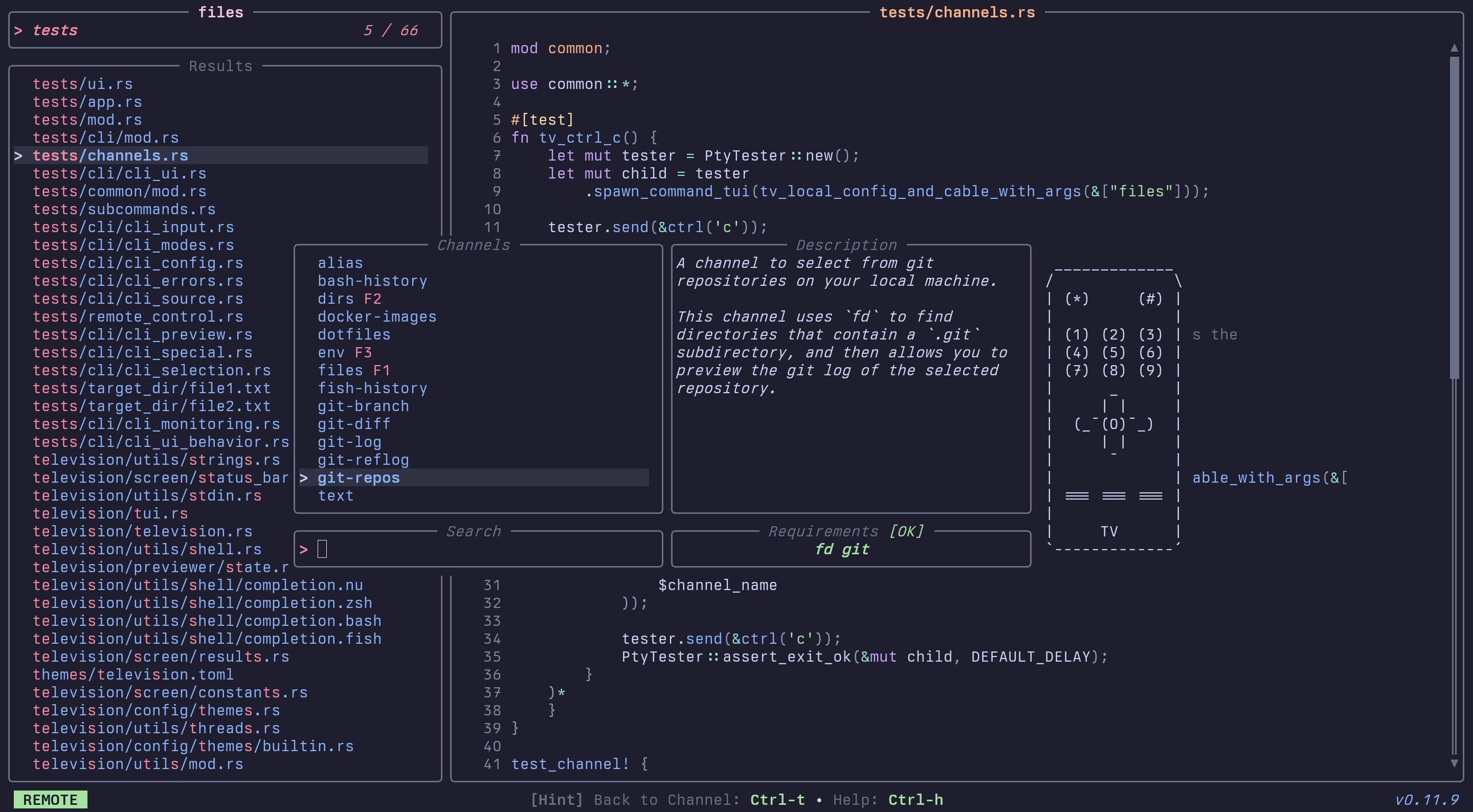
See the channels docs for more info on how to set these up.