Community Channels (unix)
alias
A channel to select from shell aliases
Requirements: None
Code: alias.toml
[metadata]
name = "alias"
description = "A channel to select from shell aliases"

[source]
command = "$SHELL -ic 'alias'"
output = "{split:=:0}"
aws-buckets
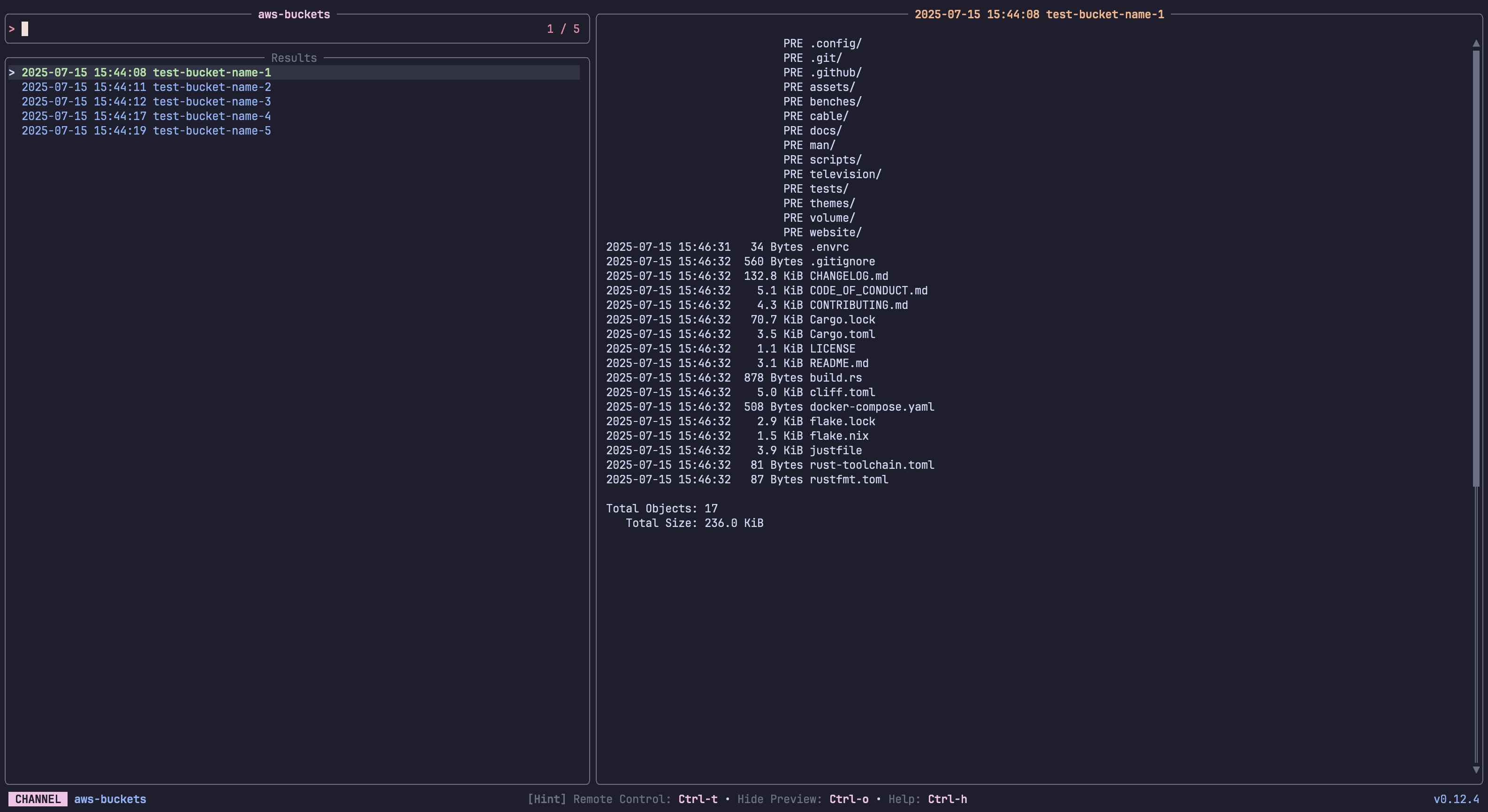
List and preview AWS S3 Buckets
 Requirements:
 aws
Code: aws-buckets.toml
[metadata]
name = "aws-buckets"
description = "List and preview AWS S3 Buckets"
requirements = [ "aws",]

[source]
command = "aws s3 ls --output text"
output = "{split: :3|trim}"

[preview]
command = "aws s3 ls s3://{split: :3|trim} --human-readable --summarize"

[ui.preview_panel]
size = 60
aws-instances
List and preview AWS EC2 Instances
Requirements: aws
Code: aws-instances.toml
[metadata]
name = "aws-instances"
description = "List and preview AWS EC2 Instances"
requirements = [ "aws",]

[source]
command = "aws ec2 describe-instances --output text --query \"Reservations[*].Instances[*].[InstanceId,Tags[?Key=='Name']|[0].Value]\""

[preview]
command = "aws ec2 describe-instances --output json --instance-ids {split:\t:0} --query 'Reservations[*].Instances[0]'"

[ui.preview_panel]
size = 60
bash-history
A channel to select from your bash history
Requirements: bash
Code: bash-history.toml
[metadata]
name = "bash-history"
description = "A channel to select from your bash history"
requirements = [ "bash",]

[source]
command = "sed '1!G;h;$!d' ${HISTFILE:-${HOME}/.bash_history}"
channels
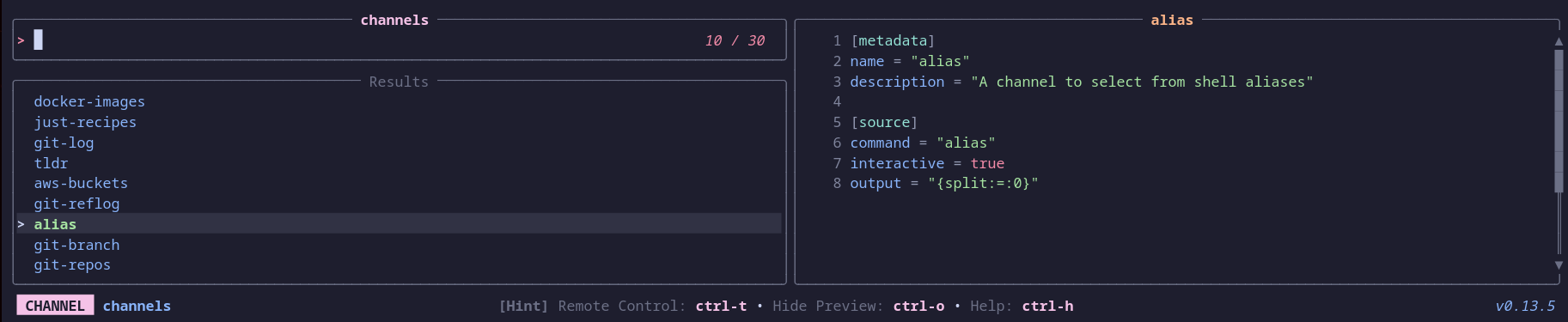
Select a television channel
 Requirements:
 tv, bat
Code: channels.toml
[metadata]
name = "channels"
description = "Select a television channel"
requirements = [ "tv", "bat",]

[source]
command = [ "tv list-channels",]

[preview]
command = "bat -pn --color always ${XDG_CONFIG_HOME:-$HOME/.config}/television/cable/**/{}.toml"

[keybindings]
enter = "actions:channel-enter"

[actions.channel-enter]
description = "Enter a television channel"
command = "tv {}"
mode = "execute"
dirs
A channel to select from directories
Requirements: fd
Code: dirs.toml
[metadata]
name = "dirs"
description = "A channel to select from directories"
requirements = [ "fd",]

[source]
command = [ "fd -t d", "fd -t d --hidden",]

[preview]
command = "ls -la --color=always '{}'"

[keybindings]
shortcut = "f2"
distrobox-list
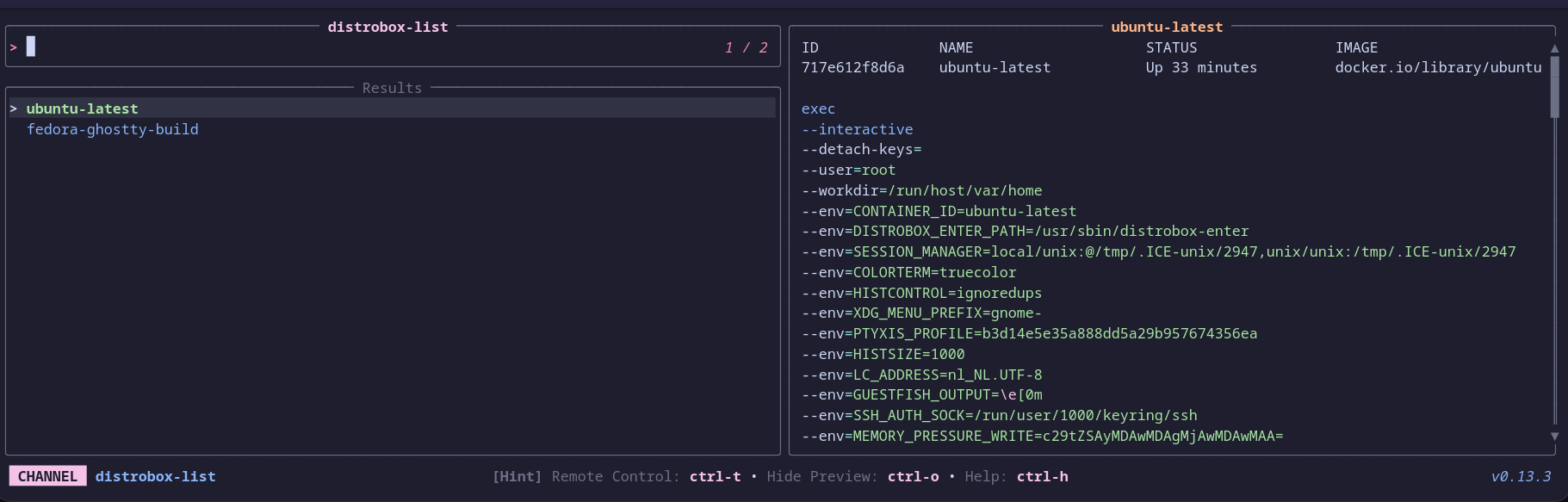
A channel to select a container from distrobox
 Requirements:
 distrobox, bat
Code: distrobox-list.toml
[metadata]
name = "distrobox-list"
description = "A channel to select a container from distrobox"
requirements = [ "distrobox", "bat",]

[source]
command = [ "distrobox list | awk -F '|' '{ gsub(/ /, \"\", $2); print $2}' | tail --lines=+2",]

[preview]
command = "(distrobox list | column -t -s '|' | awk -v selected_name={} 'NR==1 || $0 ~ selected_name') && echo && distrobox enter -d {} | bat --plain --color=always -lbash"

[keybindings]
ctrl-e = "actions:distrobox-enter"
ctrl-l = "actions:distrobox-list"
ctrl-r = "actions:distrobox-rm"
ctrl-s = "actions:distrobox-stop"
ctrl-u = "actions:distrobox-upgrade"

[actions.distrobox-enter]
description = "Enter a distrobox"
command = "distrobox enter {}"
mode = "execute"

[actions.distrobox-list]
description = "List a distrobox"
command = "distrobox list | column -t -s '|' | awk -v selected_name={} 'NR==1 || $0 ~ selected_name'"
mode = "execute"

[actions.distrobox-rm]
description = "Remove a distrobox"
command = "distrobox rm {}"
mode = "execute"

[actions.distrobox-stop]
description = "Stop a distrobox"
command = "distrobox stop {}"
mode = "execute"

[actions.distrobox-upgrade]
description = "Upgrade a distrobox"
command = "distrobox upgrade {}"
mode = "execute"
docker-images
A channel to select from Docker images
Requirements: docker, jq
Code: docker-images.toml
[metadata]
name = "docker-images"
description = "A channel to select from Docker images"
requirements = [ "docker", "jq",]

[source]
command = "docker images --format '{{.Repository}}:{{.Tag}} {{.ID}}'"
output = "{split: :-1}"

[preview]
command = "docker image inspect '{split: :-1}' | jq -C"
dotfiles
A channel to select from your user's dotfiles
Requirements: fd, bat
Code: dotfiles.toml
[metadata]
name = "dotfiles"
description = "A channel to select from your user's dotfiles"
requirements = [ "fd", "bat",]

[source]
command = "fd -t f . $HOME/.config"

[preview]
command = "bat -n --color=always '{}'"
env
A channel to select from environment variables
Requirements: None
Code: env.toml
[metadata]
name = "env"
description = "A channel to select from environment variables"

[source]
command = "printenv"
output = "{split:=:1..}"

[preview]
command = "echo '{split:=:1..}'"

[ui]
layout = "portrait"

[keybindings]
shortcut = "f3"

[ui.preview_panel]
size = 20
header = "{split:=:0}"
files
A channel to select files and directories
Requirements: fd, bat
Code: files.toml
[metadata]
name = "files"
description = "A channel to select files and directories"
requirements = [ "fd", "bat",]

[source]
command = [ "fd -t f", "fd -t f -H",]

[preview]
command = "bat -n --color=always '{}'"

[keybindings]
shortcut = "f1"
f12 = "actions:edit"
ctrl-up = "actions:goto_parent_dir"

[preview.env]
BAT_THEME = "ansi"

[actions.edit]
description = "Opens the selected entries with the default editor (falls back to vim)"
command = "${EDITOR:-vim} '{}'"
mode = "execute"

[actions.goto_parent_dir]
description = "Re-opens tv in the parent directory"
command = "tv files .."
mode = "execute"
fish-history
A channel to select from your fish history
Requirements: fish
Code: fish-history.toml
[metadata]
name = "fish-history"
description = "A channel to select from your fish history"
requirements = [ "fish",]

[source]
command = "fish -c 'history'"
gh-issues
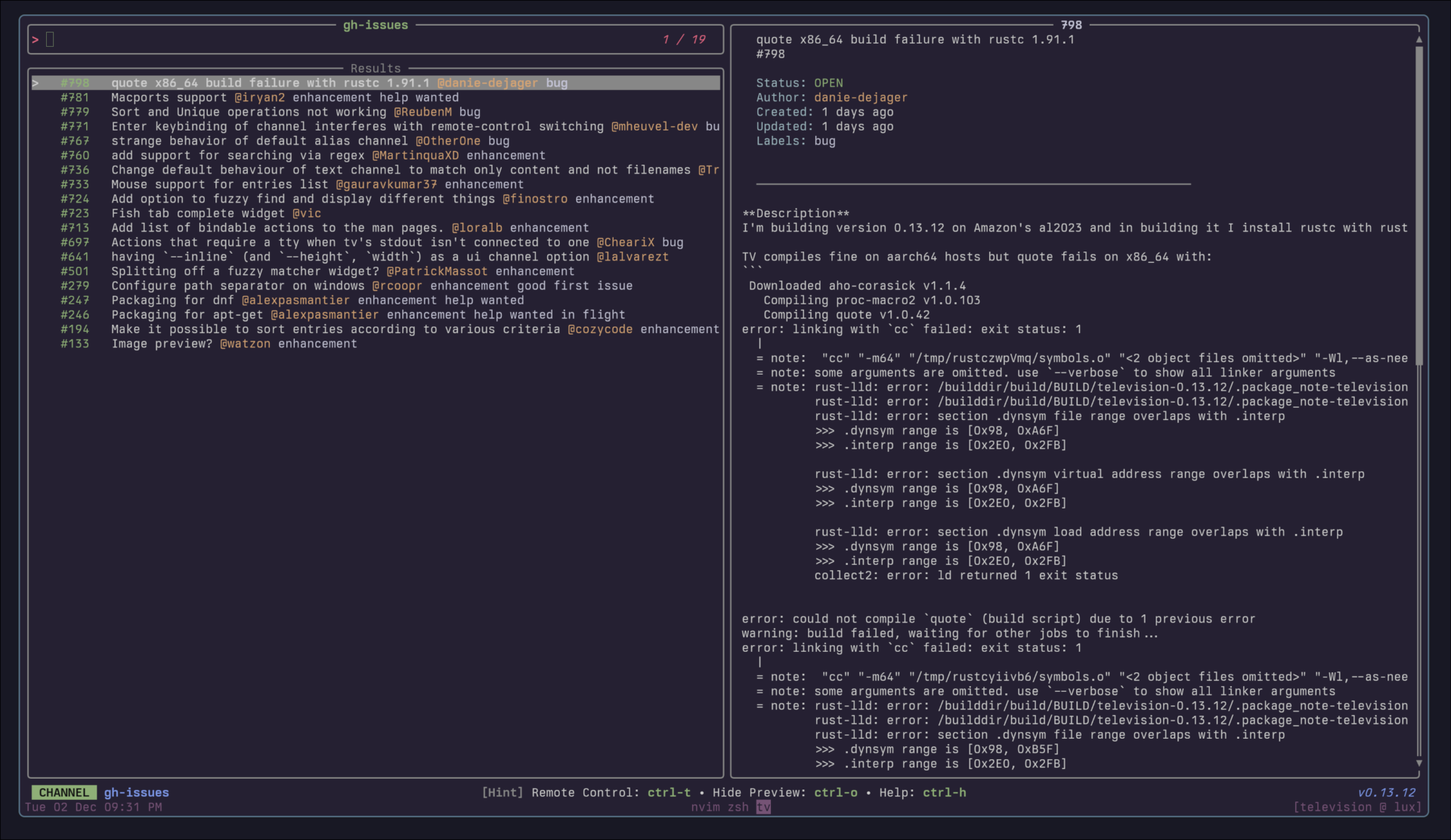
List GitHub issues for the current repo
 Requirements:
 gh, jq
Code: gh-issues.toml
[metadata]
name = "gh-issues"
description = "List GitHub issues for the current repo"
requirements = [ "gh", "jq",]

[source]
command = "gh issue list --state open --limit 100 --json number,title,createdAt,author,labels | jq -r 'sort_by(.createdAt) | reverse | .[] | \"  \\u001b[32m#\\(.number)\\u001b[39m   \\(.title) \\u001b[33m@\\(.author.login)\\u001b[39m\" + (if (.labels | length) > 0 then \" \" + ([.labels[] | \"\\u001b[35m\" + .name + \"\\u001b[39m\"] | join(\" \")) else \"\" end)'\n"
ansi = true
output = "{strip_ansi|split:#:1|split: :0}"

[preview]
command = "gh issue view '{strip_ansi|split:\n\"  \" + .title,\n\"  #\" + (.number | tostring),\n\"\",\n\"  \\u001b[36mStatus:\\u001b[39m \\u001b[32m\" + .state + \"\\u001b[39m\",\n\"  \\u001b[36mAuthor:\\u001b[39m \\u001b[33m\" + .author.login + \"\\u001b[39m\",\n\"  \\u001b[36mCreated:\\u001b[39m \" + (.createdAt | fromdateiso8601 | (now - .) | if . < 3600 then (./60|floor|tostring) + \" minutes ago\" elif . < 86400 then (./3600|floor|tostring) + \" hours ago\" else (./86400|floor|tostring) + \" days ago\" end),\n\"  \\u001b[36mUpdated:\\u001b[39m \" + (.updatedAt | fromdateiso8601 | (now - .) | if . < 3600 then (./60|floor|tostring) + \" minutes ago\" elif . < 86400 then (./3600|floor|tostring) + \" hours ago\" else (./86400|floor|tostring) + \" days ago\" end),\n(if (.labels | length) > 0 then \"  \\u001b[36mLabels:\\u001b[39m \" + ([.labels[] | \"\\u001b[35m\" + .name + \"\\u001b[39m\"] | join(\" \")) else \"\" end),\n(if (.assignees | length) > 0 then \"  \\u001b[36mAssignees:\\u001b[39m \" + ([.assignees[].login] | join(\", \")) else \"\" end),\n\"\",\n\"  \\u001b[90m────────────────────────────────────────────────────────────\\u001b[39m\",\n\"\",\n(.body // \"\")'\n"

[ui.preview_panel]
header = "{strip_ansi|split:#:1|split: :0}"
gh-prs
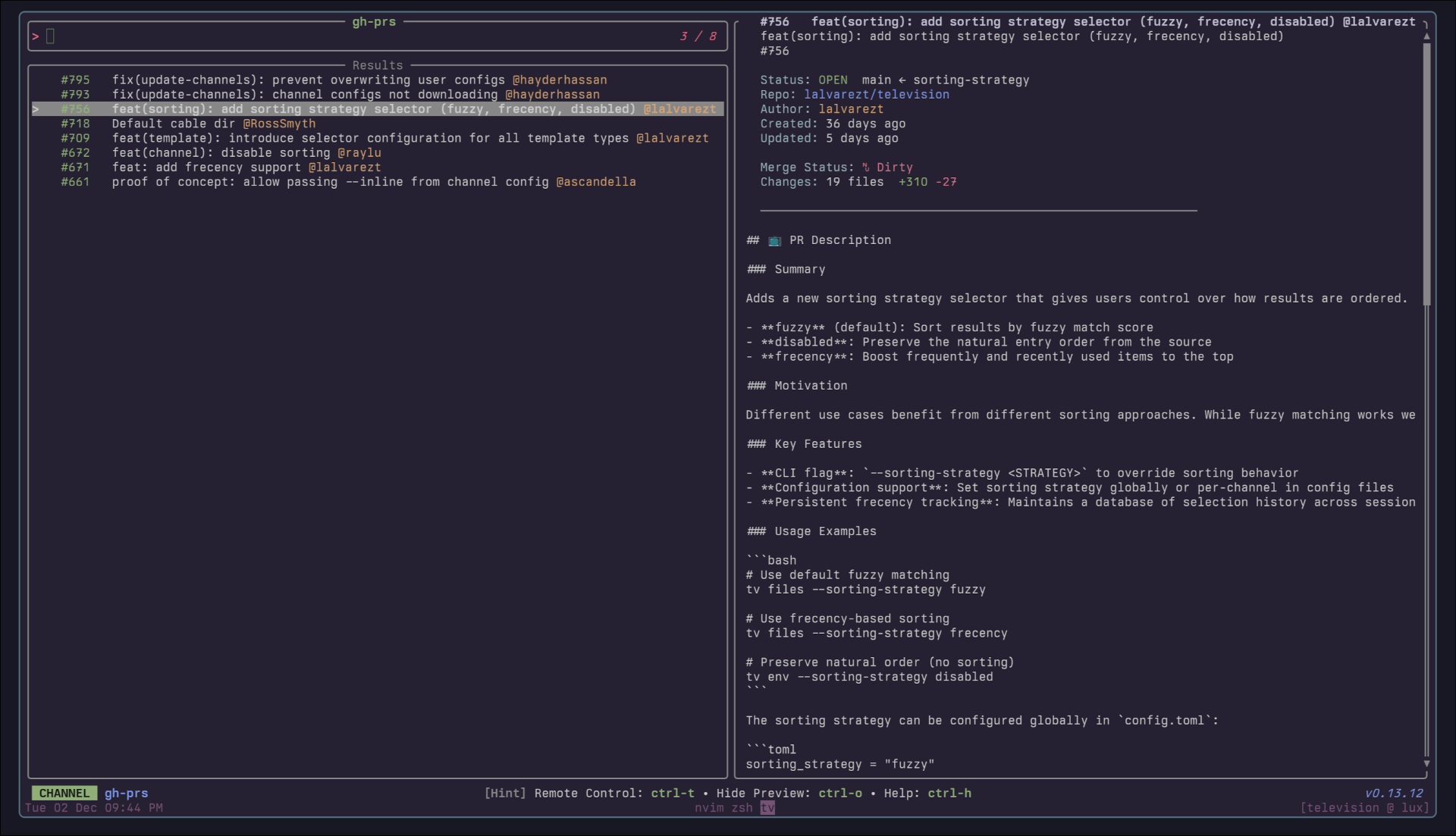
List GitHub PRs for the current repo
 Requirements:
 gh, jq
Code: gh-prs.toml
[metadata]
name = "gh-prs"
description = "List GitHub PRs for the current repo"
requirements = [ "gh", "jq",]

[source]
command = "gh pr list --state open --limit 100 --json number,title,createdAt,author,labels | jq -r 'sort_by(.createdAt) | reverse | .[] | \"  \\u001b[32m#\\(.number)\\u001b[39m   \\(.title) \\u001b[33m@\\(.author.login)\\u001b[39m\" + (if (.labels | length) > 0 then \" \" + ([.labels[] | \"\\u001b[35m\" + .name + \"\\u001b[39m\"] | join(\" \")) else \"\" end)'\n"
output = "{strip_ansi|split:#:1|split:   :0}"
ansi = true

[preview]
command = "gh pr view '{strip_ansi|split:\n\"  \" + .title,\n\"  #\" + (.number | tostring),\n\"\",\n\"  \\u001b[36mStatus:\\u001b[39m \\u001b[32m\" + .state + \"\\u001b[39m  \" + .baseRefName + \" ← \" + .headRefName,\n\"  \\u001b[36mRepo:\\u001b[39m \\u001b[34m\" + (.headRepositoryOwner.login) + \"/\" + (.headRepository.name) + \"\\u001b[39m\",\n\"  \\u001b[36mAuthor:\\u001b[39m \\u001b[33m\" + .author.login + \"\\u001b[39m\",\n\"  \\u001b[36mCreated:\\u001b[39m \" + (.createdAt | fromdateiso8601 | (now - .) | if . < 3600 then (./60|floor|tostring) + \" minutes ago\" elif . < 86400 then (./3600|floor|tostring) + \" hours ago\" else (./86400|floor|tostring) + \" days ago\" end),\n\"  \\u001b[36mUpdated:\\u001b[39m \" + (.updatedAt | fromdateiso8601 | (now - .) | if . < 3600 then (./60|floor|tostring) + \" minutes ago\" elif . < 86400 then (./3600|floor|tostring) + \" hours ago\" else (./86400|floor|tostring) + \" days ago\" end),\n(if (.labels | length) > 0 then \"  \\u001b[36mLabels:\\u001b[39m \" + ([.labels[] | \"\\u001b[35m\" + .name + \"\\u001b[39m\"] | join(\" \")) else \"\" end),\n\"  \\u001b[36mMerge Status:\\u001b[39m \" + (if .mergeable == \"MERGEABLE\" then \"\\u001b[32m✓ Clean\\u001b[39m\" elif .mergeable == \"CONFLICTING\" then \"\\u001b[31m✗ Dirty\\u001b[39m\" else \"\\u001b[33m? Unknown\\u001b[39m\" end),\n\"  \\u001b[36mChanges:\\u001b[39m \" + (.changedFiles | tostring) + \" files  \\u001b[32m+\" + (.additions | tostring) + \"\\u001b[39m \\u001b[31m-\" + (.deletions | tostring) + \"\\u001b[39m\",\n\"\",\n\"  \\u001b[90m────────────────────────────────────────────────────────────\\u001b[39m\",\n\"\",\n(.body // \"\")'\n"
git-branch
A channel to select from git branches
Requirements: git
Code: git-branch.toml
[metadata]
name = "git-branch"
description = "A channel to select from git branches"
requirements = [ "git",]

[source]
command = "git --no-pager branch --all --format=\"%(refname:short)\""
output = "{split: :0}"

[preview]
command = "git show -p --stat --pretty=fuller --color=always '{0}'"
git-diff
A channel to select files from git diff commands
Requirements: git
Code: git-diff.toml
[metadata]
name = "git-diff"
description = "A channel to select files from git diff commands"
requirements = [ "git",]

[source]
command = "git diff --name-only HEAD"

[preview]
command = "git diff HEAD --color=always -- '{}'"
git-log
A channel to select from git log entries
Requirements: git
Code: git-log.toml
[metadata]
name = "git-log"
description = "A channel to select from git log entries"
requirements = [ "git",]

[source]
command = "git log --graph --pretty=format:'%C(yellow)%h%Creset -%C(yellow)%d%Creset %s %Cgreen(%cr) %C(bold blue)<%an>%Creset' --abbrev-commit --color=always"
output = "{strip_ansi|split: :1}"
ansi = true

[preview]
command = "git show -p --stat --pretty=fuller --color=always '{strip_ansi|split: :1}' | head -n 1000"
git-reflog
A channel to select from git reflog entries
Requirements: git
Code: git-reflog.toml
[metadata]
name = "git-reflog"
description = "A channel to select from git reflog entries"
requirements = [ "git",]

[source]
command = "git reflog --decorate --color=always"
output = "{0|strip_ansi}"
ansi = true

[preview]
command = "git show -p --stat --pretty=fuller --color=always '{0|strip_ansi}'"
git-repos
A channel to select from git repositories on your local machine.
This channel uses fd to find directories that contain a .git subdirectory, and then allows you to preview the git log of the selected repository.
Requirements: fd, git
Code: git-repos.toml
[metadata]
name = "git-repos"
requirements = [ "fd", "git",]
description = "A channel to select from git repositories on your local machine.\n\nThis channel uses `fd` to find directories that contain a `.git` subdirectory, and then allows you to preview the git log of the selected repository.\n"

[source]
command = "fd -g .git -HL -t d -d 10 --prune ~ -E 'Library' -E 'Application Support' --exec dirname '{}'"
display = "{split:/:-1}"

[preview]
command = "cd '{}'; git log -n 200 --pretty=medium --all --graph --color"
guix
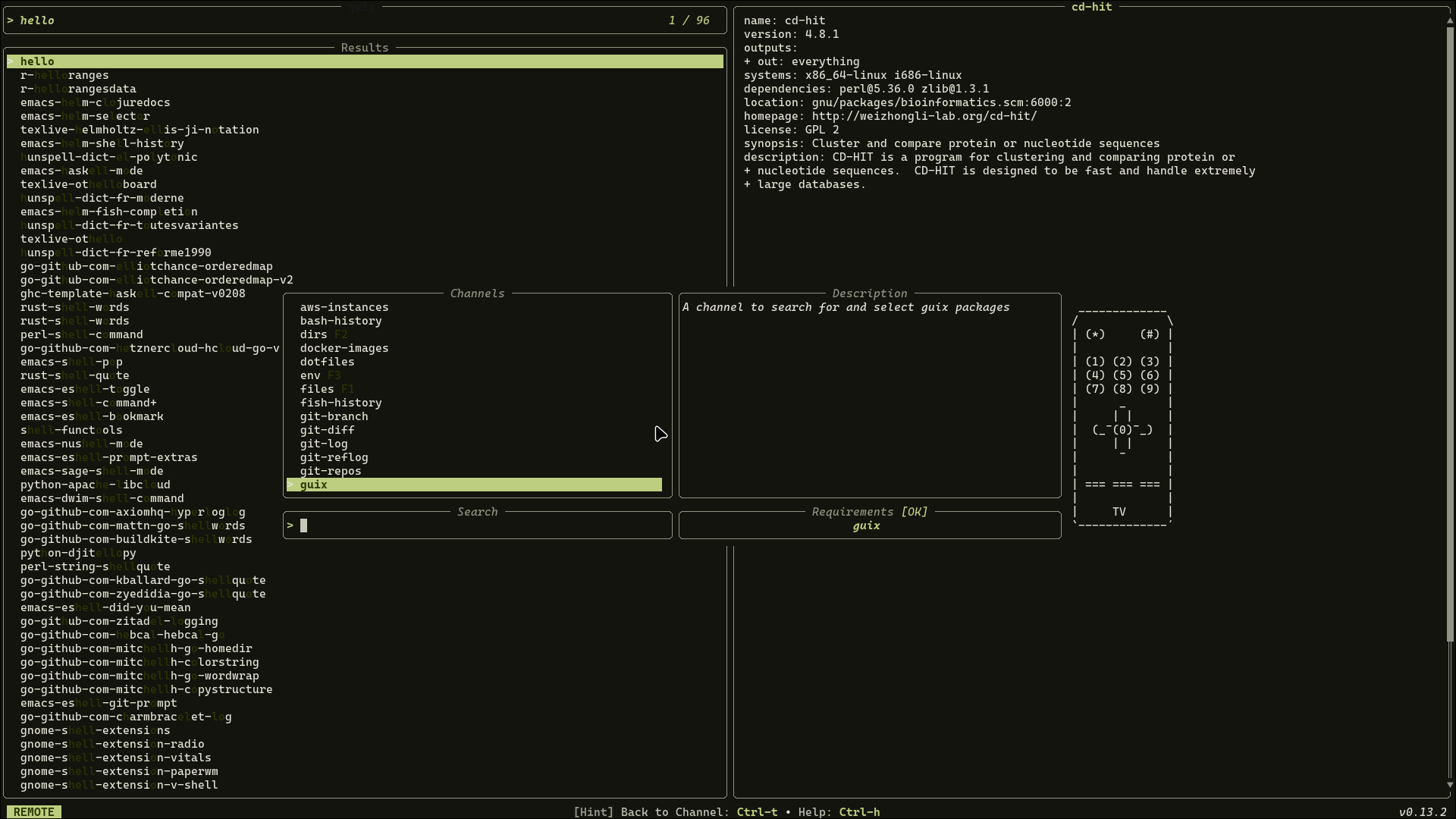
A channel to search for and select Guix packages
 Requirements:
 guix
Code: guix.toml
[metadata]
name = "guix"
description = "A channel to search for and select Guix packages"
requirements = [ "guix",]

[source]
command = [ "guix package --list-available=.*",]
display = "{trim|replace:s/\\s+/ /g|split: :0}"
output = "{trim|replace:s/\\s+/ /g|split: :0}"

[preview]
command = "guix package --show={trim|replace:s/\\s+/ /g|split: :0}"

[keybindings]
f12 = "actions:shell"

[actions.shell]
description = "Spawns a shell with the selected package"
command = "guix shell {trim|replace:s/\\s+/ /g|split: :0}"
mode = "execute"
just-recipes
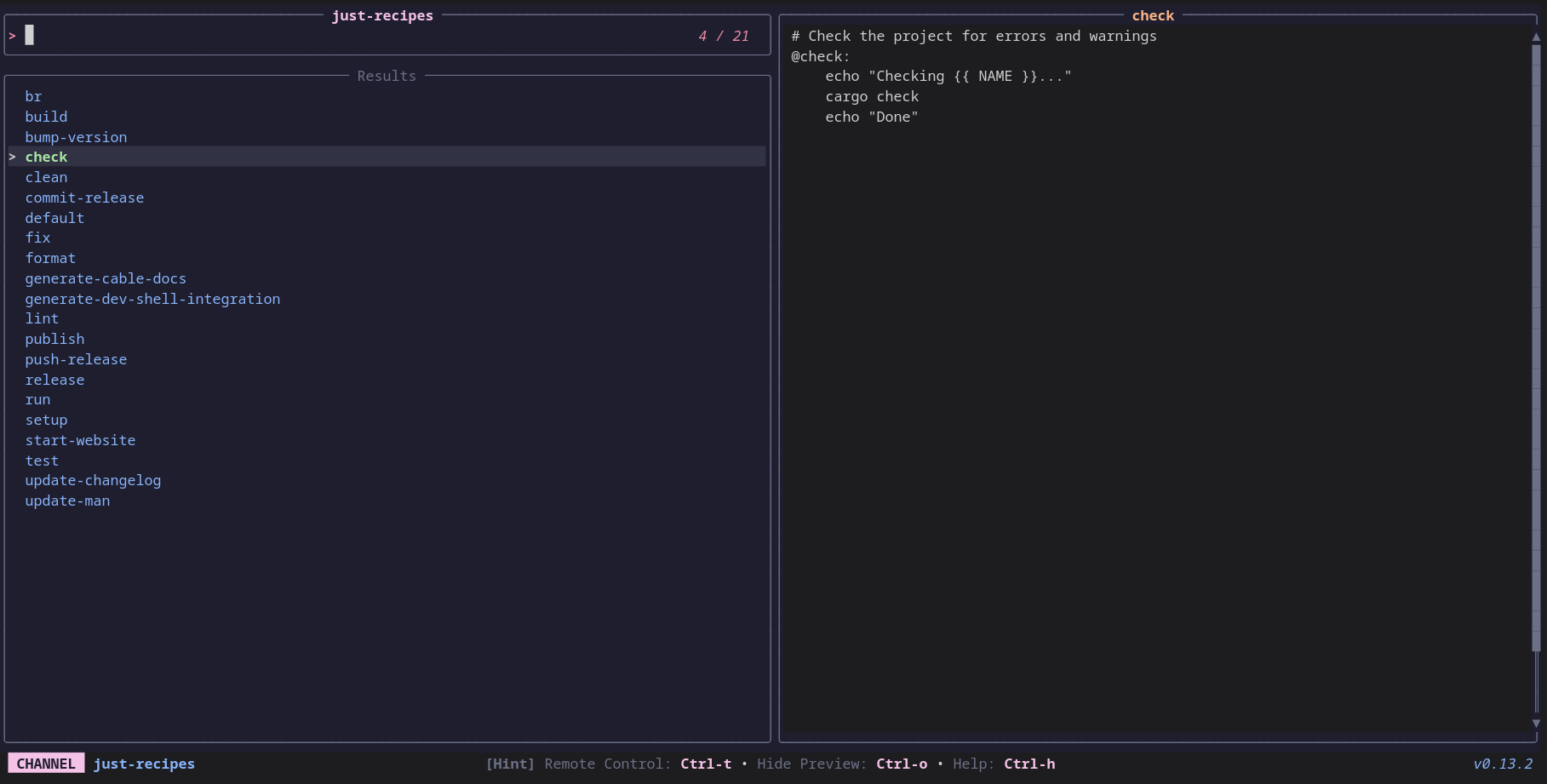
A channel to select recipes from Justfiles
 Requirements:
 just
Code: just-recipes.toml
[metadata]
name = "just-recipes"
description = "A channel to select recipes from Justfiles"
requirements = [ "just",]

[source]
command = [ "just --summary | tr '[:blank:]' '\n'",]

[preview]
command = "just -s {}"

[keybindings]
ctrl-x = "actions:execute-recipe"

[actions.execute-recipe]
description = "Execute a justfile recipe"
command = "just {}"
mode = "execute"
k8s-deployments
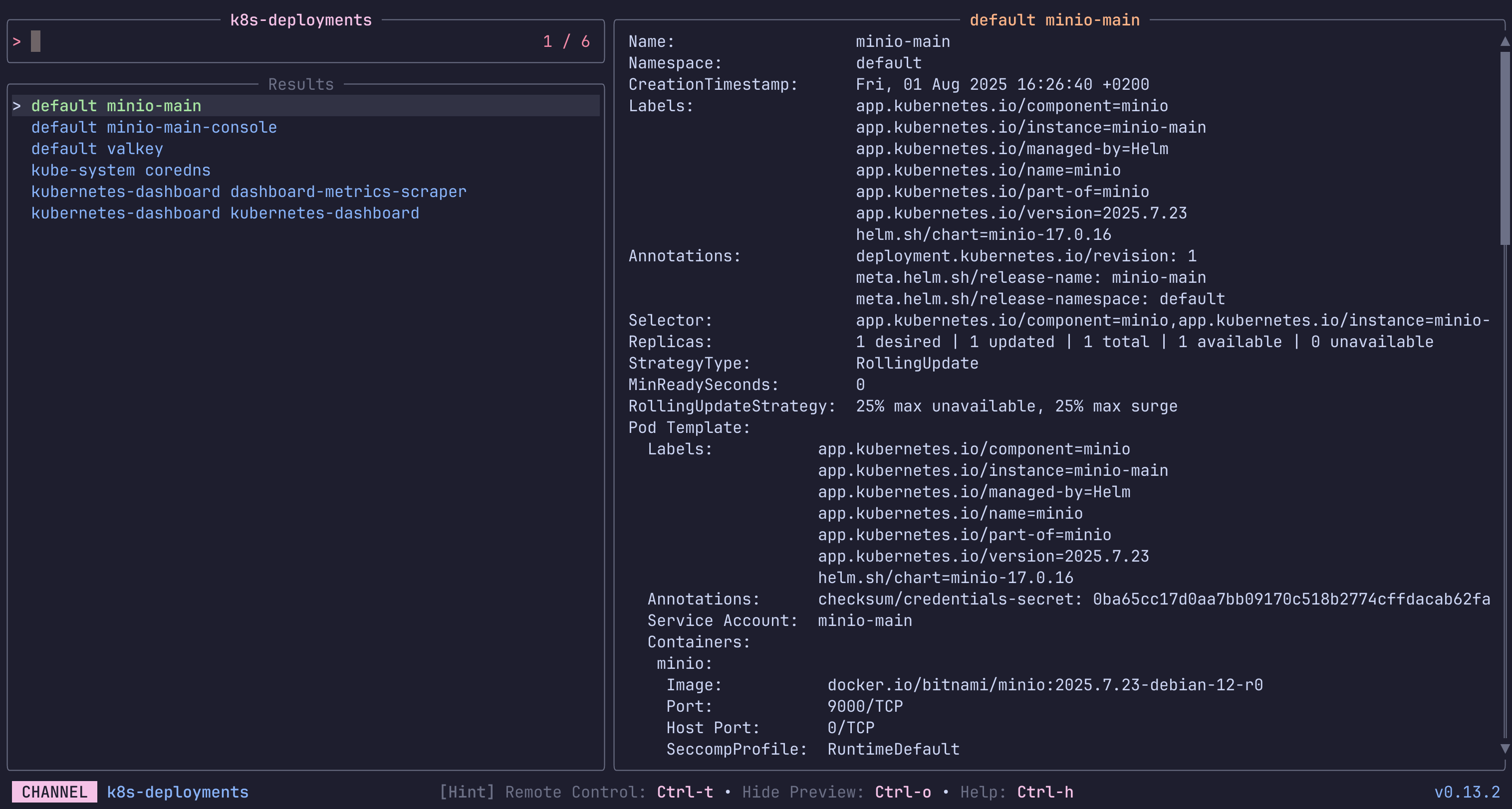
List and preview Deployments in a Kubernetes Cluster.
The first source lists only from the current namespace, while the second lists from all.
Keybindings
Press ctrl-d to delete the selected Deployment.
 Requirements:
 kubectl
Code: k8s-deployments.toml
[metadata]
name = "k8s-deployments"
description = "List and preview Deployments in a Kubernetes Cluster.\n\nThe first source lists only from the current namespace, while the second lists from all.\n\nKeybindings\n\nPress `ctrl-d` to delete the selected Deployment.\n"
requirements = [ "kubectl",]

[source]
command = [ "  kubectl get deployments -o go-template --template '{{range .items}}{{.metadata.namespace}} {{.metadata.name}}{{\"\\n\"}}{{end}}'\n  ", "  kubectl get deployments -o go-template --template '{{range .items}}{{.metadata.namespace}} {{.metadata.name}}{{\"\\n\"}}{{end}}' --all-namespaces\n  ",]
output = "{1}"

[preview]
command = "kubectl describe -n {0} deployments/{1}"

[keybindings]
ctrl-d = "actions:delete"

[ui.preview_panel]
size = 60

[actions.delete]
description = "Delete the selected Deployment"
command = "kubectl delete -n {0} deployments/{1}"
mode = "execute"
k8s-pods
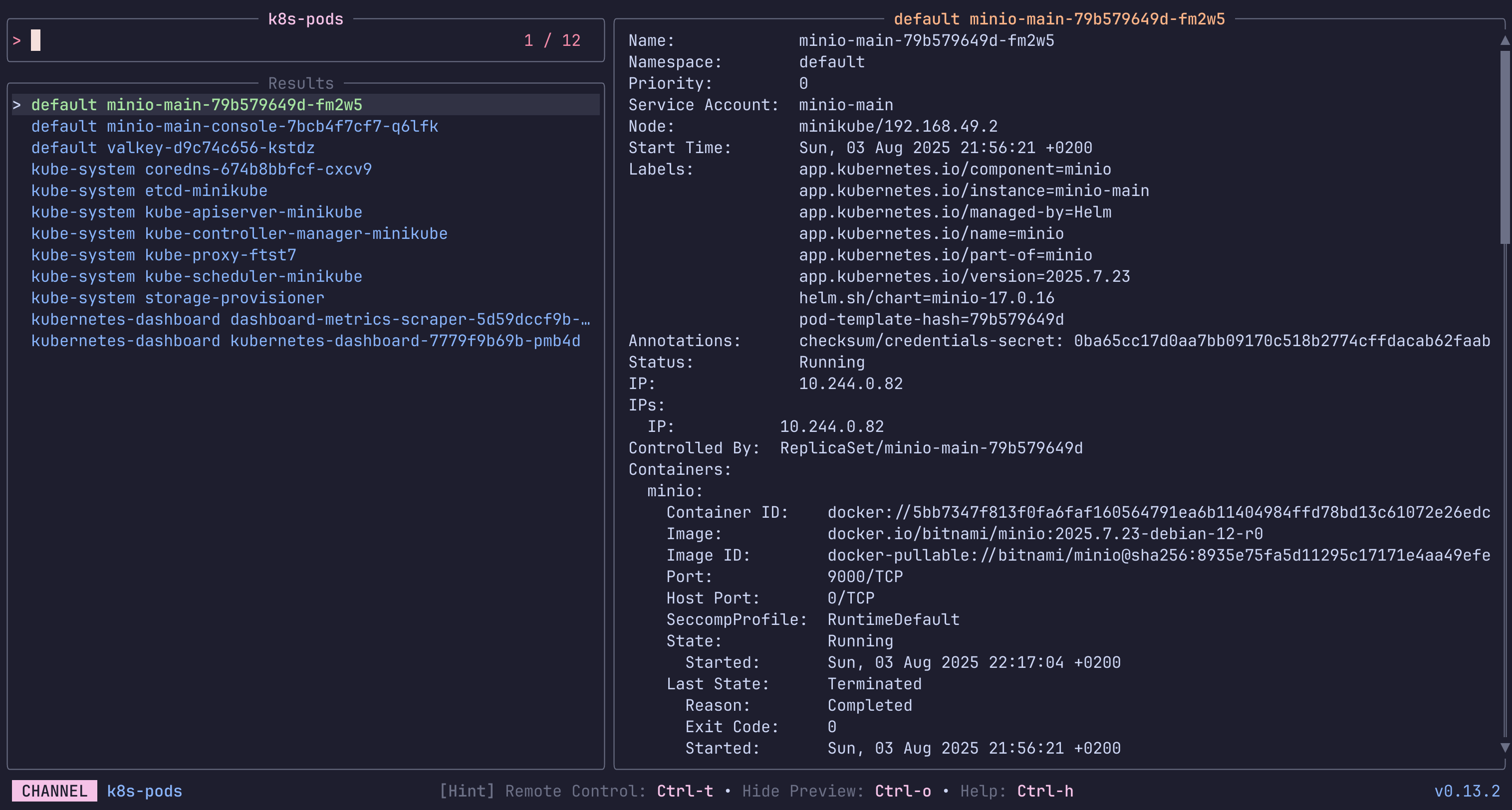
List and preview Pods in a Kubernetes Cluster.
The first source lists only from the current namespace, while the second lists from all.
Keybindings
Press ctrl-e to execute shell inside the selected Pod.
Press ctrl-d to delete the selected Pod.
Press ctrl-l to print and follow the logs of the selected Pod.
 Requirements:
 kubectl
Code: k8s-pods.toml
[metadata]
name = "k8s-pods"
description = "List and preview Pods in a Kubernetes Cluster.\n\nThe first source lists only from the current namespace, while the second lists from all.\n\nKeybindings\n\nPress `ctrl-e` to execute shell inside the selected Pod.\nPress `ctrl-d` to delete the selected Pod.\nPress `ctrl-l` to print and follow the logs of the selected Pod.\n"
requirements = [ "kubectl",]

[source]
command = [ "  kubectl get pods -o go-template --template '{{range .items}}{{.metadata.namespace}} {{.metadata.name}}{{\"\\n\"}}{{end}}'\n  ", "  kubectl get pods -o go-template --template '{{range .items}}{{.metadata.namespace}} {{.metadata.name}}{{\"\\n\"}}{{end}}' --all-namespaces\n  ",]
output = "{1}"

[preview]
command = "kubectl describe -n {0} pods/{1}"

[keybindings]
ctrl-d = "actions:delete"
ctrl-e = "actions:exec"
ctrl-l = "actions:logs"

[ui.preview_panel]
size = 60

[actions.exec]
description = "Execute shell inside the selected Pod"
command = "kubectl exec -i -t -n {0} pods/{1} -- /bin/sh"
mode = "execute"

[actions.delete]
description = "Delete the selected Pod"
command = "kubectl delete -n {0} pods/{1}"
mode = "execute"

[actions.logs]
description = "Follow logs of the selected Pod"
command = "kubectl logs -f -n {0} pods/{1}"
mode = "execute"
k8s-services
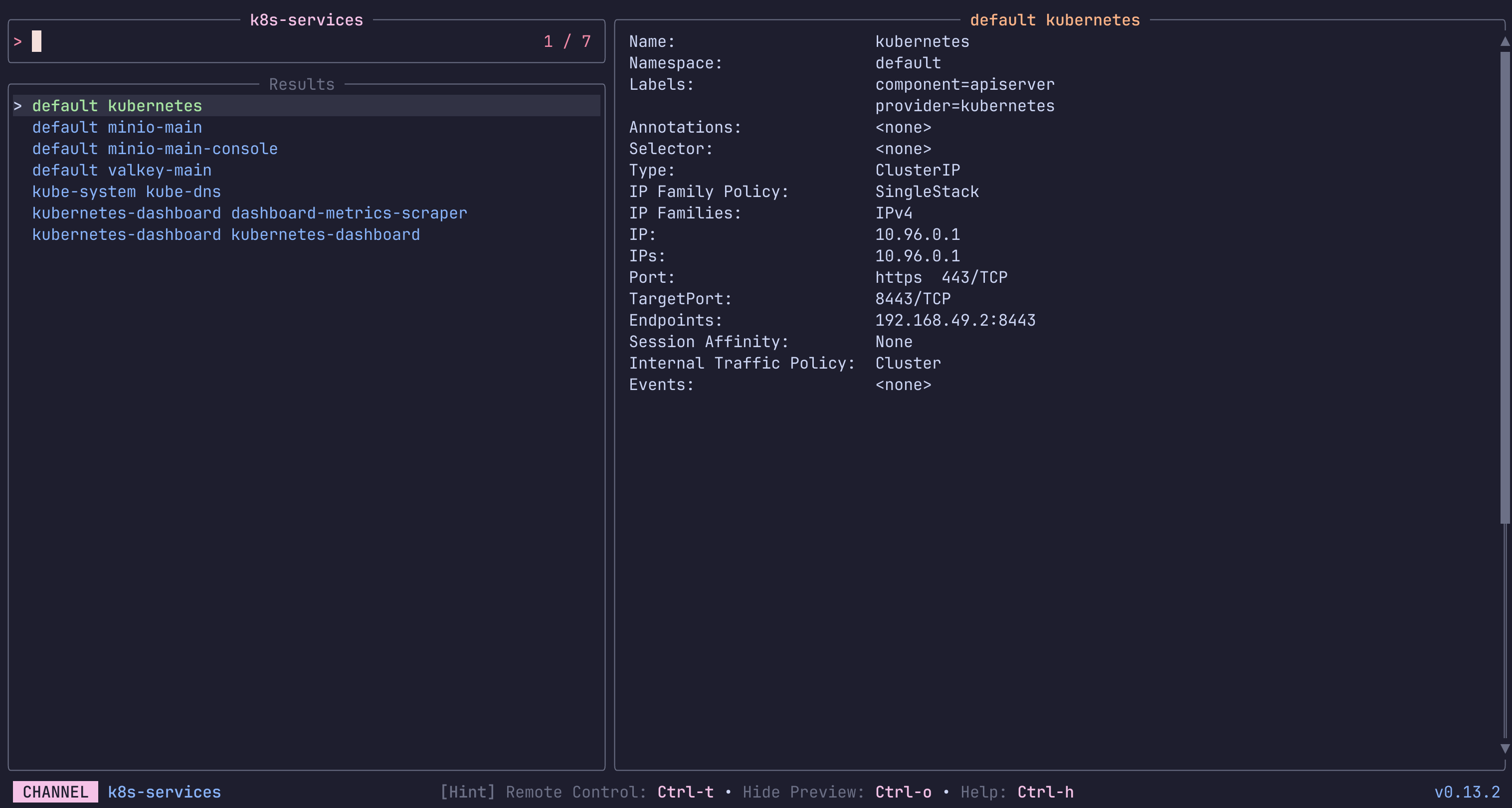
List and preview Services in a Kubernetes Cluster.
The first source lists only from the current namespace, while the second lists from all.
keybindings
Press ctrl-d to delete the selected Service.
 Requirements:
 kubectl
Code: k8s-services.toml
[metadata]
name = "k8s-services"
description = "List and preview Services in a Kubernetes Cluster.\n\nThe first source lists only from the current namespace, while the second lists from all.\n\nkeybindings\n\nPress `ctrl-d` to delete the selected Service.\n"
requirements = [ "kubectl",]

[source]
command = [ "  kubectl get services -o go-template --template '{{range .items}}{{.metadata.namespace}} {{.metadata.name}}{{\"\\n\"}}{{end}}'\n  ", "  kubectl get services -o go-template --template '{{range .items}}{{.metadata.namespace}} {{.metadata.name}}{{\"\\n\"}}{{end}}' --all-namespaces\n  ",]
output = "{1}"

[preview]
command = "kubectl describe -n {0} services/{1}"

[keybindings]
ctrl-d = "actions:delete"

[ui.preview_panel]
size = 60

[actions.delete]
description = "Delete the selected Service"
command = "kubectl delete -n {0} services/{1}"
mode = "execute"
man-pages
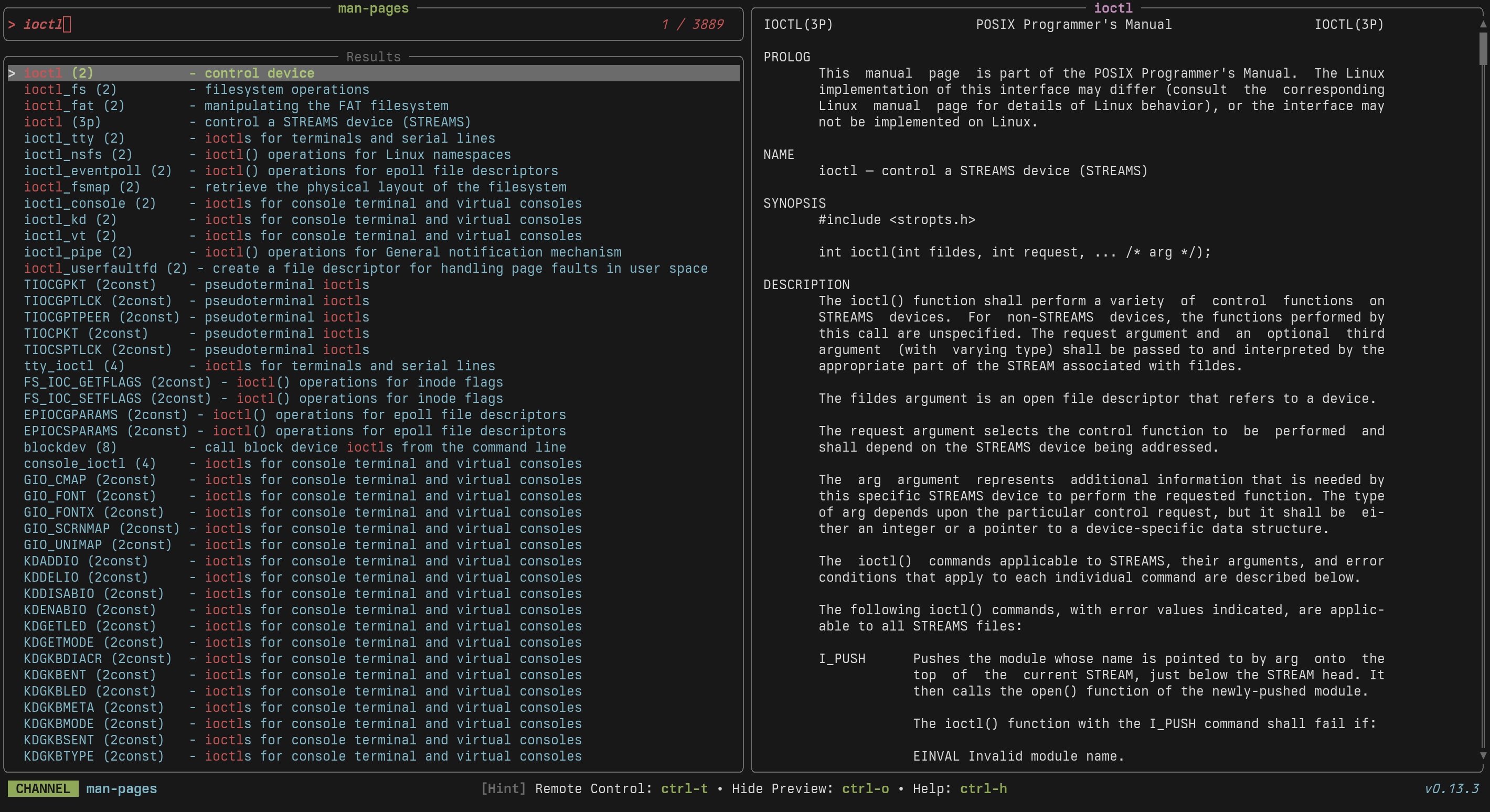
Browse and preview system manual pages
 Requirements:
 apropos, man, col
Code: man-pages.toml
[metadata]
name = "man-pages"
description = "Browse and preview system manual pages"
requirements = [ "apropos", "man", "col",]

[source]
command = "apropos ."

[preview]
command = "man '{0}' | col -bx"

[keybindings]
enter = "actions:open"

[preview.env]
MANWIDTH = "80"

[actions.open]
description = "Open the selected man page in the system pager"
command = "man '{0}'"
mode = "execute"

[ui.preview_panel]
header = "{0}"
nu-history
A channel to select from your nu history
Requirements: None
Code: nu-history.toml
[metadata]
name = "nu-history"
description = "A channel to select from your nu history"

[source]
command = "nu -c 'open $nu.history-path | lines | uniq | reverse | to text'"
path
Investigate PATH contents
Requirements: fd, bat
Code: path.toml
[metadata]
name = "path"
description = "Investigate PATH contents"
requirements = [ "fd", "bat",]

[source]
command = "printf '%s\n' \"$PATH\" | tr ':' '\n'"

[preview]
command = "fd -tx -d1 . \"{}\" -X printf \"%s\n\" \"{/}\" | sort -f | bat -n --color=always"
procs
A channel to find and manage running processes
Requirements: ps, awk
Code: procs.toml
[metadata]
name = "procs"
description = "A channel to find and manage running processes"
requirements = [ "ps", "awk",]

[source]
command = "ps -e -o pid=,ucomm= | awk '{print $1, $2}'"
display = "{split: :1}"
output = "{split: :0}"

[preview]
command = "ps -p '{split: :0}' -o user,pid,ppid,state,%cpu,%mem,command | fold"

[keybindings]
ctrl-k = "actions:kill"

[actions.kill]
description = "Kill the selected process (SIGKILL)"
command = "kill -9 {split: :0}"
mode = "execute"
sesh
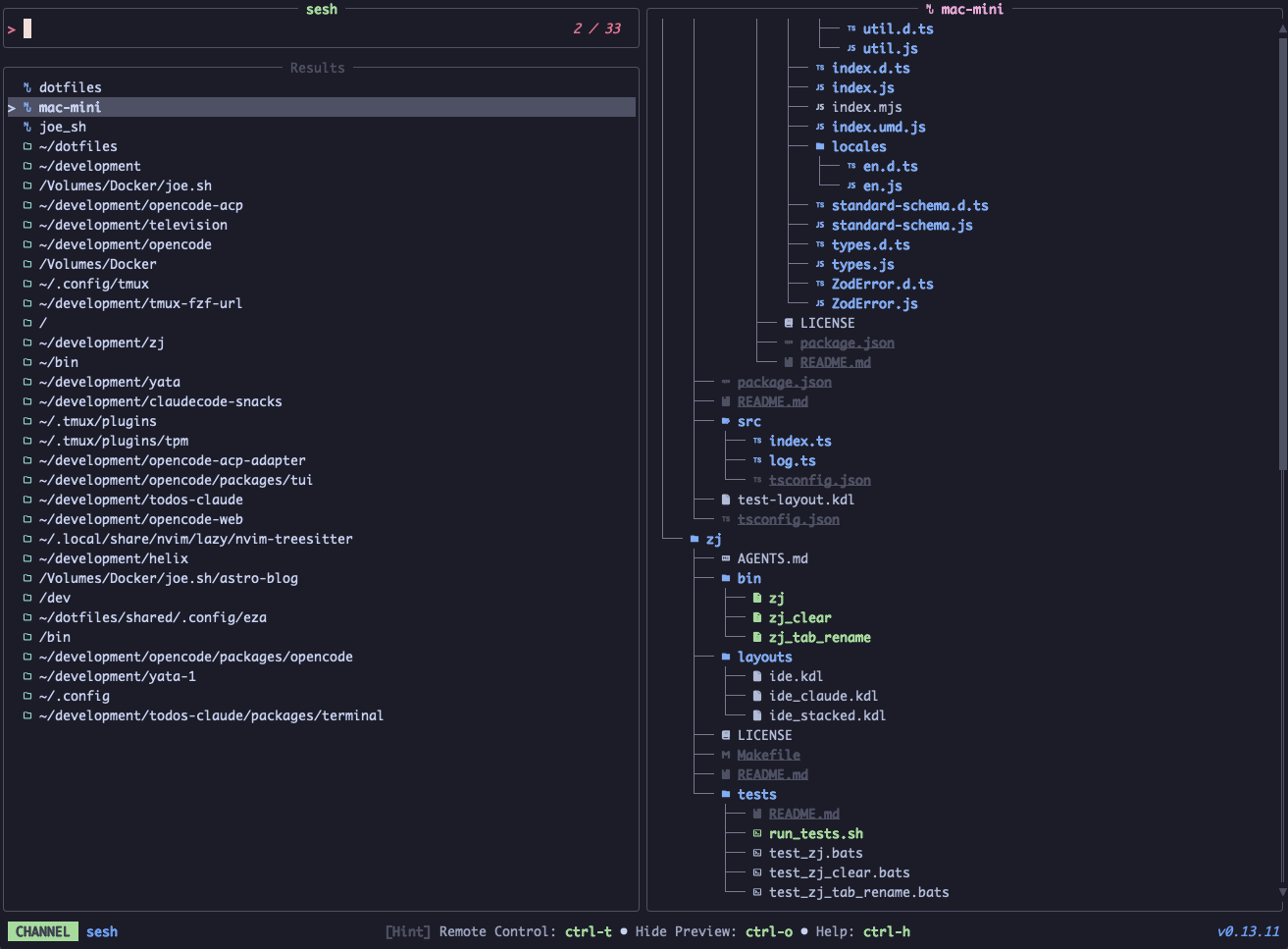
Session manager integrating tmux sessions, zoxide directories, and config paths
 Requirements:
 sesh, fd
Code: sesh.toml
[metadata]
name = "sesh"
description = "Session manager integrating tmux sessions, zoxide directories, and config paths"
requirements = [ "sesh", "fd",]

[source]
command = [ "sesh list --icons", "sesh list -t --icons", "sesh list -c --icons", "sesh list -z --icons", "fd -H -d 2 -t d -E .Trash . ~",]
ansi = true
output = "{strip_ansi|split: :1}"

[preview]
command = "sesh preview '{strip_ansi|split: :1}'"

[keybindings]
enter = "actions:connect"
ctrl-d = [ "actions:kill_session", "reload_source",]

[actions.connect]
description = "Connect to selected session"
command = "sesh connect '{strip_ansi|split: :1}'"
mode = "execute"

[actions.kill_session]
description = "Kill selected tmux session (press Ctrl+r to reload)"
command = "tmux kill-session -t '{strip_ansi|split: :1}'"
mode = "fork"
ssh-hosts
A channel to select hosts from your SSH config
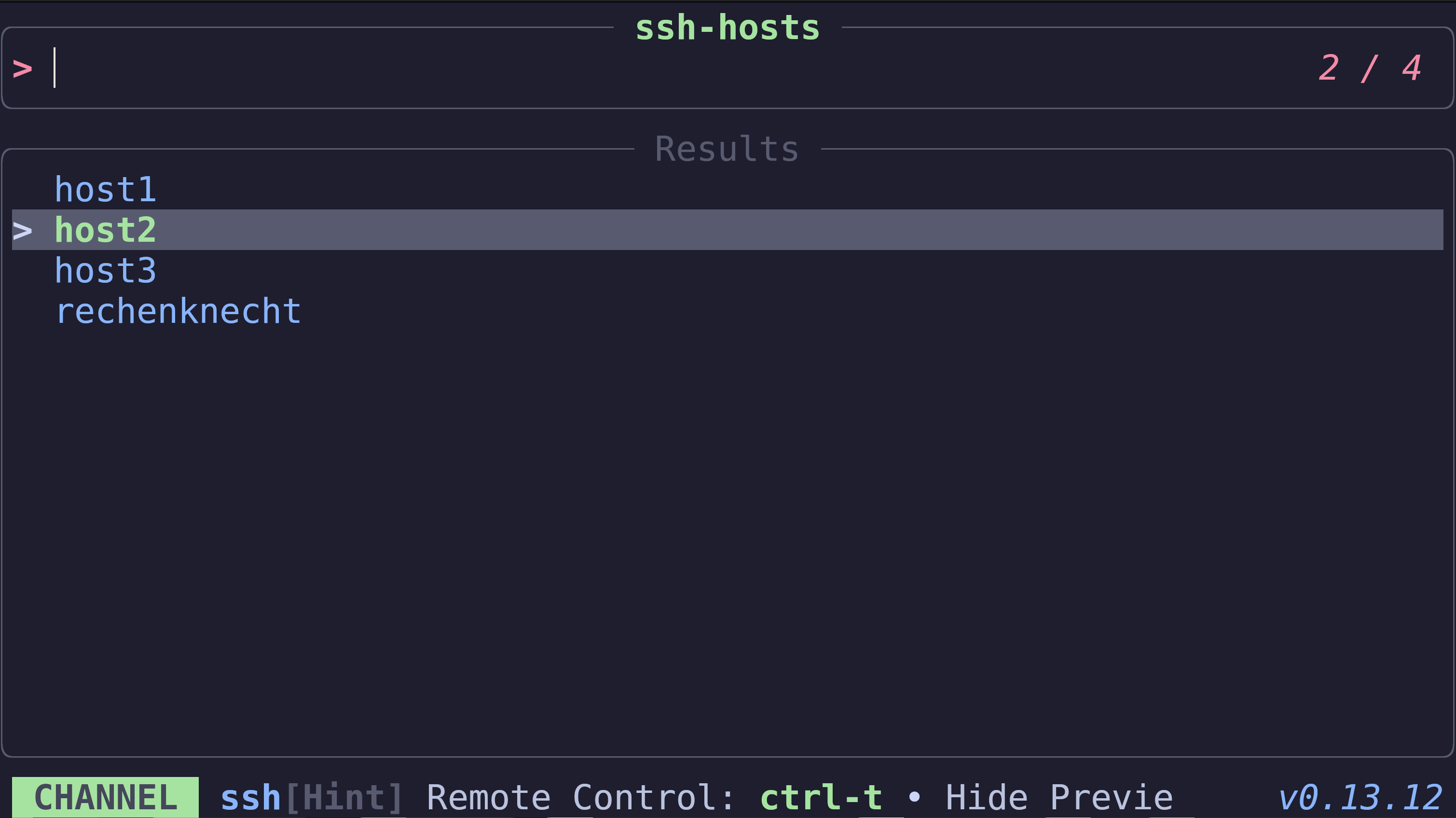 Requirements:
 grep, tr, cut
Code: ssh-hosts.toml
[metadata]
name = "ssh-hosts"
description = "A channel to select hosts from your SSH config"
requirements = [ "grep", "tr", "cut",]

[source]
command = "grep -E '^Host(name)? ' $HOME/.ssh/config | tr -s ' ' | cut -d' ' -f2- | tr ' ' '\n' | grep -v '^$'"
text
A channel to find and select text from files
Requirements: rg, bat
Code: text.toml
[metadata]
name = "text"
description = "A channel to find and select text from files"
requirements = [ "rg", "bat",]

[source]
command = "rg . --no-heading --line-number --colors 'match:fg:white' --colors 'path:fg:blue' --color=always"
ansi = true
output = "{strip_ansi|split:\\::..2}"

[preview]
command = "bat -n --color=always '{strip_ansi|split:\\::0}'"
offset = "{strip_ansi|split:\\::1}"

[preview.env]
BAT_THEME = "ansi"

[ui.preview_panel]
header = "{strip_ansi|split:\\::..2}"
tldr
Browse and preview TLDR help pages for command-line tools
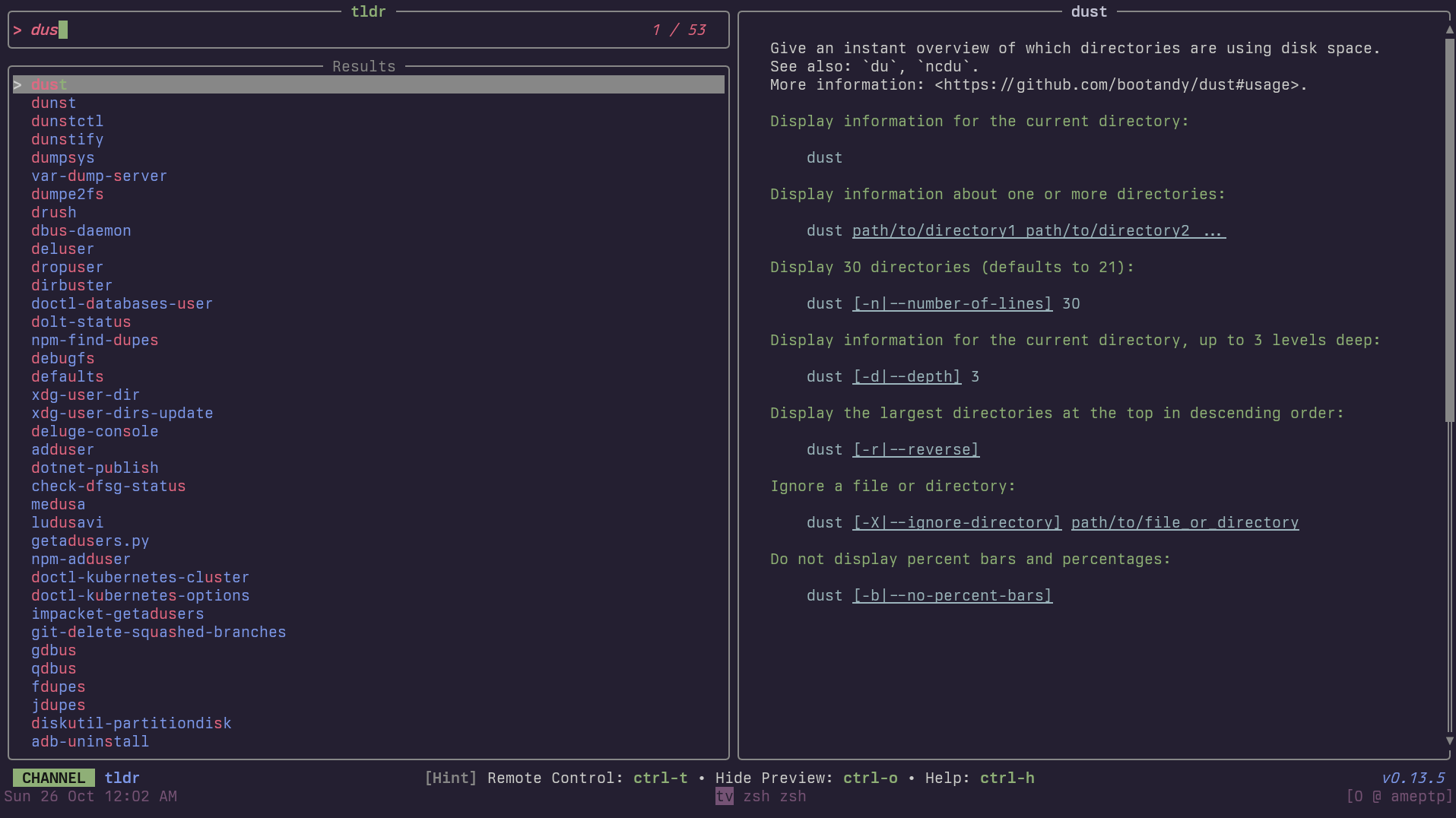 Requirements:
 tldr
Code: tldr.toml
[metadata]
name = "tldr"
description = "Browse and preview TLDR help pages for command-line tools"
requirements = [ "tldr",]

[source]
command = "tldr --list"

[preview]
command = "tldr '{0}' --color always"

[keybindings]
ctrl-e = "actions:open"

[actions.open]
description = "Open the selected TLDR page"
command = "tldr '{0}'"
mode = "execute"
unicode
Search and insert unicode characters
The UnicodeData.txt file is included by many packages.
In addition to:
Alpine Linux: unicode-character-database Arch: unicode-character-database Debian/Ubuntu: unicode-data Fedora / RHEL / CentOS unicode-ucd Gentoo: app-i18n/unicode-data NixOS: unicode/unicode-data openSUSE: unicode-ucd
UnicodData.txt may also aleady be provided by:
- Many java packages
- Latex packages
- Still others
It may in some cases be necessary to alter UNICODE_FILE below.
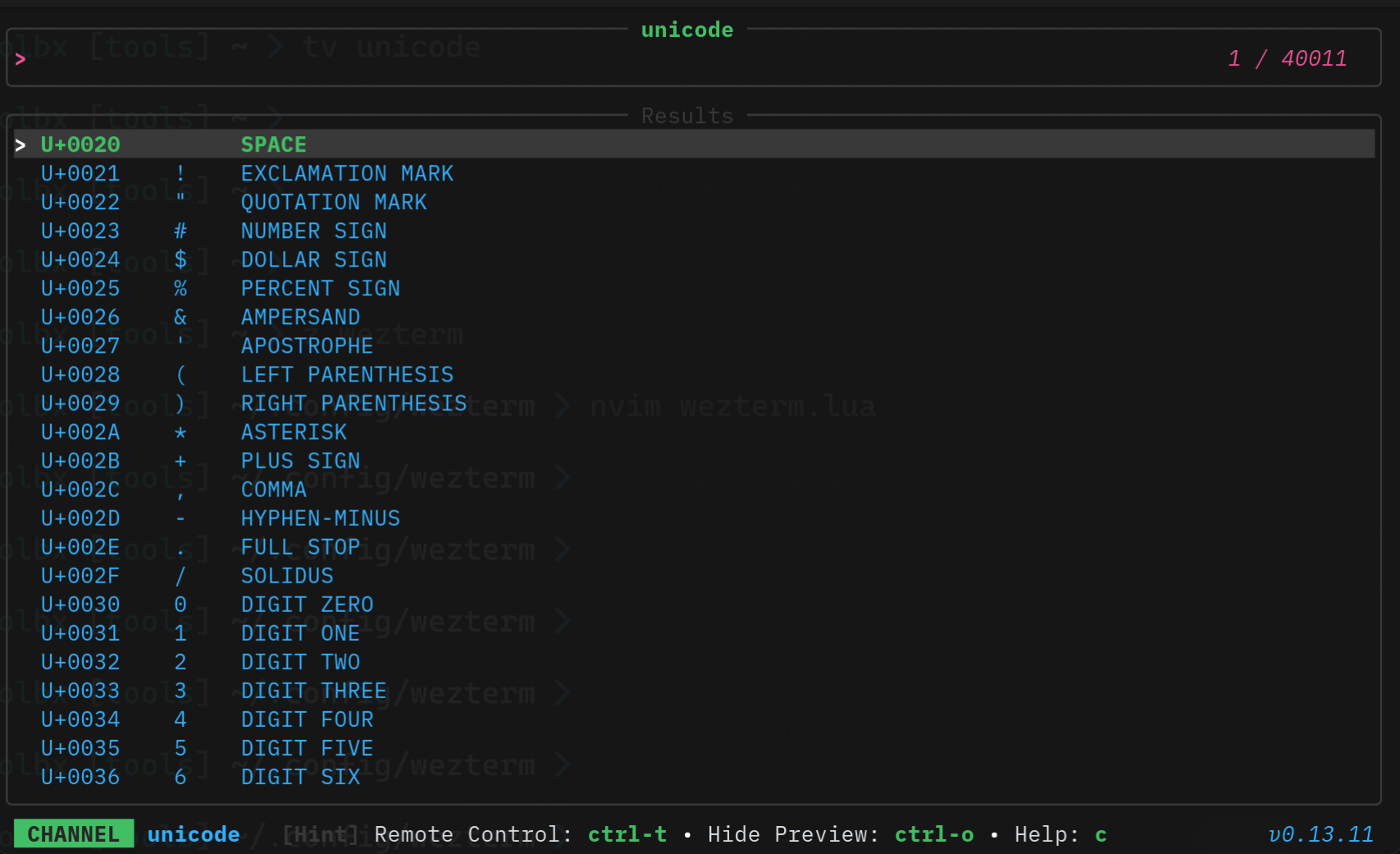 Requirements:
 awk, perl
Code: unicode.toml
[metadata]
name = "unicode"
description = "Search and insert unicode characters\n\nThe UnicodeData.txt file is included by many packages.\n\nIn addition to:\n\nAlpine Linux: unicode-character-database\nArch: unicode-character-database\nDebian/Ubuntu: unicode-data\nFedora / RHEL / CentOS unicode-ucd\nGentoo: app-i18n/unicode-data\nNixOS: unicode/unicode-data\nopenSUSE: unicode-ucd\n\nUnicodData.txt may also aleady be provided by:\n\n1) Many java packages\n2) Latex packages\n3) Still others\n\nIt may in some cases be necessary to alter UNICODE_FILE below.\n\n"
requirements = [ "awk", "perl",]

[source]
command = "UNICODE_FILE=\"/usr/share/unicode/ucd/UnicodeData.txt\"\nawk -F';' '\n  $2 !~ /^</ { print $1 \"|\" $2 }\n' \"$UNICODE_FILE\" | perl -CS -F'\\|' -lane '\n    $code = $F[0];\n    $desc = $F[1];\n    $char = chr(hex($code));\n    print \"U+$code|$char|$desc\" if $char =~ /\\p{Print}/;\n'\n"
display = "{split:|:0}    {split:|:1}    {split:|:2}"
output = "{split:|:1}"
zsh-history
A channel to select from your zsh history
Requirements: zsh
Code: zsh-history.toml
[metadata]
name = "zsh-history"
description = "A channel to select from your zsh history"
requirements = [ "zsh",]

[source]
command = "sed '1!G;h;$!d' ${HISTFILE:-${HOME}/.zsh_history}"
display = "{split:;:1..}"
output = "{split:;:1..}"