0.15
Highlights
This section is meant as a quick recap of what you should know when upgrading to 0.15.x.
It is by no means exhaustive. If you're really interested in the complete changelogs, check out the individual release pages.
Channel Actions Picker
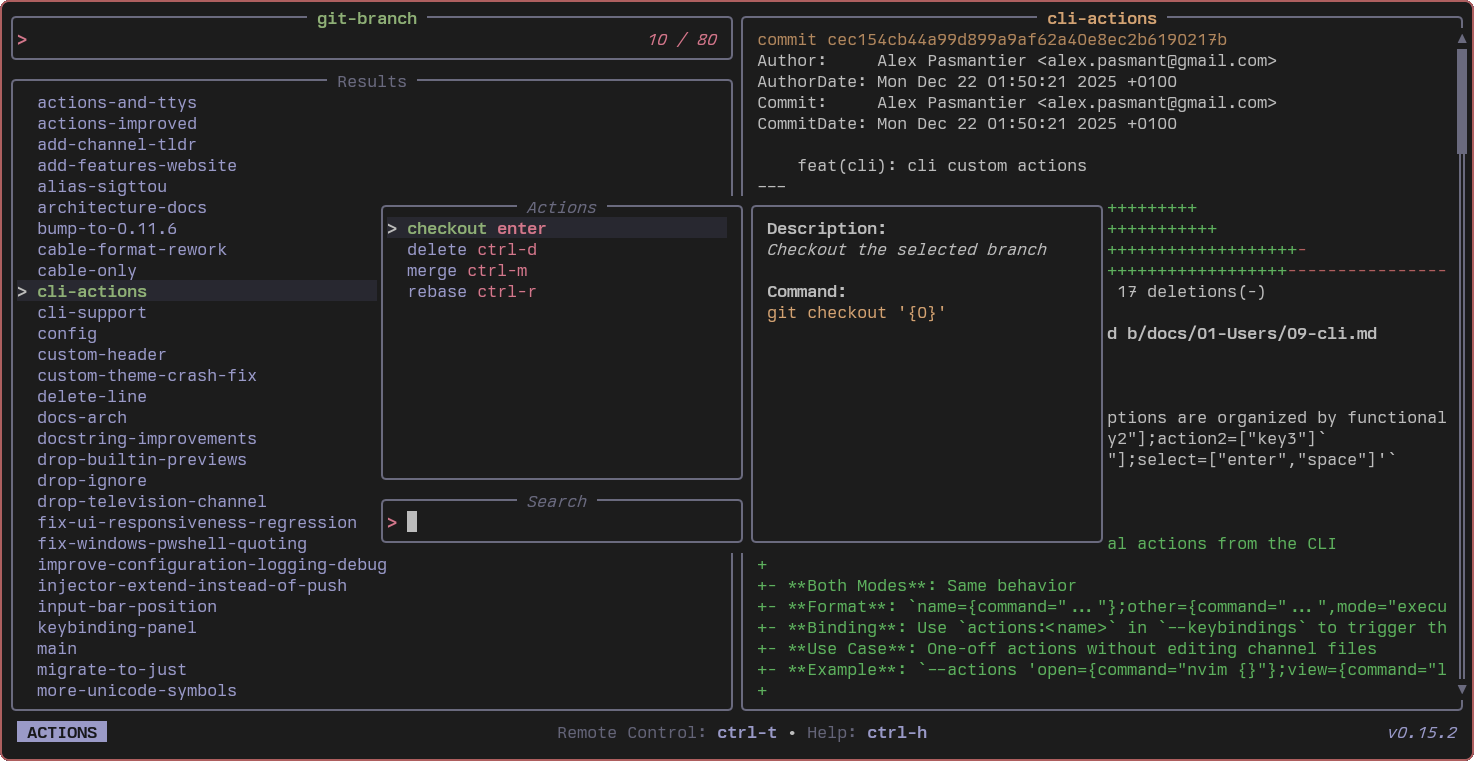
Channels can now define actions — commands that operate on the currently selected entry. Hit Ctrl+X to open the action picker and choose from a searchable list, or bind actions directly to keys.
Here's what the git-branch channel looks like:
[keybindings]
enter = "actions:checkout"
ctrl-d = "actions:delete"
ctrl-m = "actions:merge"
ctrl-r = "actions:rebase"

[actions.checkout]
description = "Checkout the selected branch"
command = "git checkout '{0}'"
mode = "execute"

[actions.delete]
description = "Delete the selected branch"
command = "git branch -d '{0}'"
mode = "execute"
Actions support two modes:
execute: replaces the tv process (tv exits, action takes over)fork: spawns the command as a child process (tv stays open)
This enables having "management-style" channels. For instance, the docker-containers channel lets you start, stop, restart, view logs, exec into, or remove containers — all from the same picker:
[actions.logs]
description = "Follow logs of the selected container"
command = "docker logs -f '{split:\t:0}'"
mode = "execute"

[actions.exec]
description = "Execute shell in the selected container"
command = "docker exec -it '{split:\t:0}' /bin/sh"
mode = "execute"
Frecency Sorting
Results can now be ranked by frecency (frequency + recency). Entries you select often and recently float to the top. This is enabled by default for some channels and recorded automatically.
Frecency is stored in ~/.local/share/television/frecency.json and uses a Mozilla-style time-decay algorithm with recency buckets (last 4 hours, last day, last week, etc.) combined with access count.
You can tune it per channel:
[source]
command = "fd -t f"
frecency = false  # disable for this channel
Or adjust the global cap in ~/.config/television/config.toml:
frecency_max_entries = 1000 # max entries tracked per channel (default)
Channels where ordering is inherently meaningful (shell history, git log, etc.) ship with frecency disabled by default.
Custom Sorting Controls
You can now preserve the original source order instead of having results re-sorted by match quality. This is useful for chronologically sorted sources like shell history or log entries:
tv zsh-history --no-sort
Or in a channel TOML:
[source]
command = "sed '1!G;h;$!d' ${HISTFILE:-${HOME}/.zsh_history}"
no_sort = true
frecency = false
When no_sort is enabled, both match-quality sorting and frecency are disabled — the source's original ordering is preserved.
Custom Shell for Commands
Channels can now specify which shell to use for source, preview, and action commands. This is useful when a command depends on shell-specific syntax:
[source]
command = "some-command-that-needs-fish-syntax"
shell = "fish"
You can also set a global shell override in your config file so all channels use it by default (channel-specific settings still take precedence):
# ~/.config/television/config.toml
shell = "zsh"  # options: bash, zsh, fish, powershell, cmd, nu
If neither is set, tv auto-detects from $SHELL.
41 New Channels + Improvements
0.15.0 and 0.15.1 together added 41 new channels with more default actions for existing ones. The update-channels command now skips channels with unmet requirements by default — so running tv update-channels won't clutter your system with channels you can't use.
Cycle Sources and Previews Tab Indicators
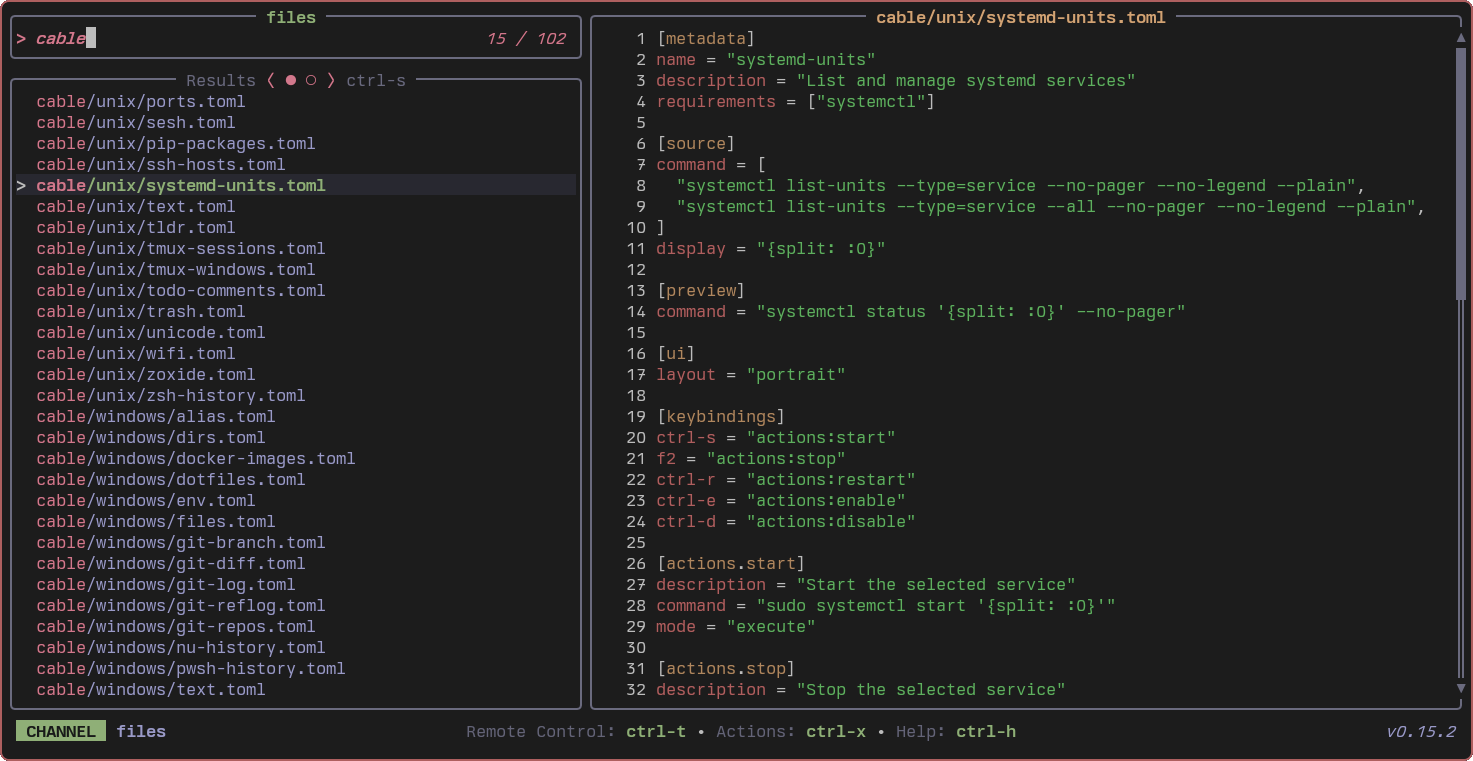
Channels with multiple source commands (like dirs which cycles between fd -t d and fd -t d --hidden) now show tab indicators in the UI so you can see which variant is active. The keybinding to cycle is shown next to the indicator.
# dirs.toml — two source commands to cycle through with ctrl-s
[source]
command = ["fd -t d", "fd -t d --hidden"]
The same applies to channels with multiple preview commands (Ctrl+F to cycle).
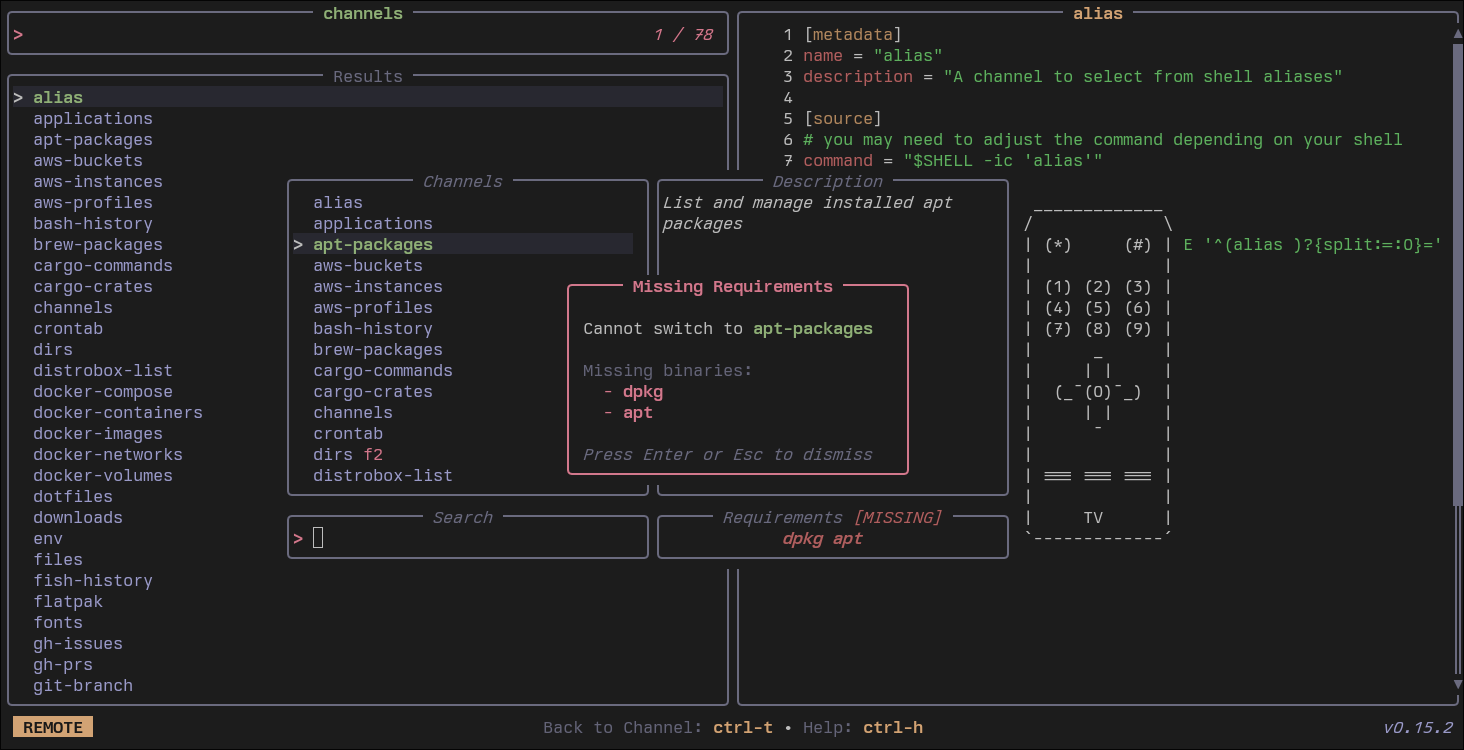
Remote Control: Missing Requirements Popup
When browsing channels in the remote control (Ctrl+T) and selecting one whose requirements aren't met, tv now shows a popup explaining what's missing instead of failing silently.
Fish Shell Channel Completion
Fish users now get channel name completion out of the box:
tv <Tab>
# Shows available channels labeled "(Channel)" alongside subcommands
Performance
Various performance improvements (see changelog)
Other Changes
tv list-channelsoutput is now sorted alphabetically- The stateful loading spinner was replaced by a static symbol
- Documentation overhaul across the project
- Dependabot configured for cargo and rust-toolchain ecosystems
Full Changelog: https://github.com/alexpasmantier/television/compare/0.14.5...0.15.3